
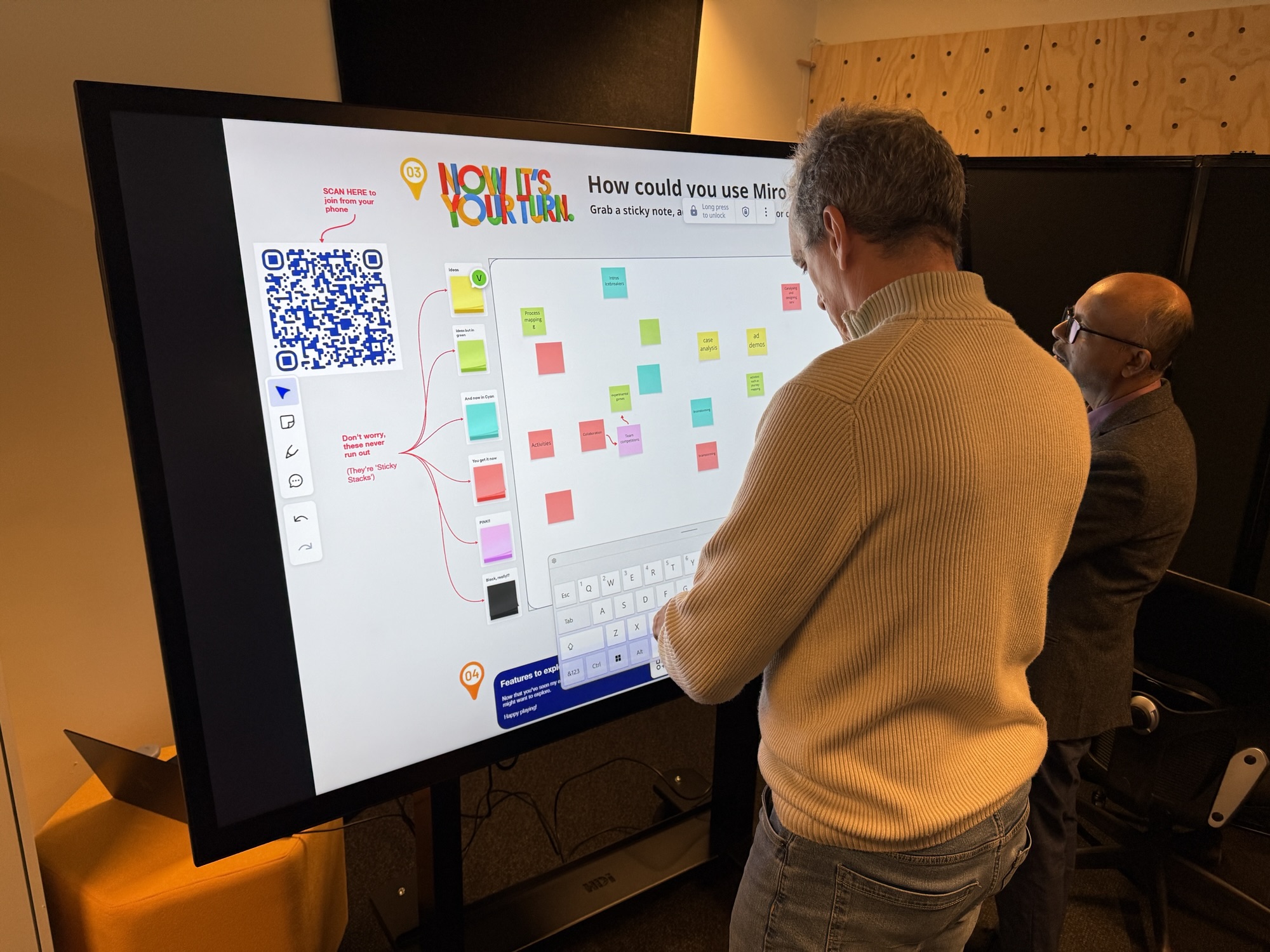
If you’ve spent any time around corporates, or been in any online brainstorming meetings, you’ve probably pretty familiar with Miro. It’s a great online collaboration and brainstorming tool, but how could it help University educators engage students within physical classes?

That was the topic of a recent hands-on workshop I facilitated for my fellow academics in the School of Economics, Finance, and Marketing (EFM) at RMIT University.
The session was part of ‘EFM TREK’, a series of practical sessions designed to give educators tools they can use immediately within their current classes.
I was one of three facilitators for the session, with the other two being Learning Design specialists from my School. Being the only academic presenter, I knew I needed to give my colleagues very practical examples of how Miro could work in physical activities so…I ran the whole session in Miro!
I built a new Miro board with a mixture of content, practical examples from my own classes, and a few spaces to input and share ideas of how they might use Miro in their own classes. If you want to check it out you can see the full board here (you might need to scroll around to see everything):
One of the great things about the session was it simulated nice what it’s like when students use Miro in my real classes. Some participants immediately jumped up and used the board with our touch screens, while others participated individually from their phones. Others teamed up and had one person ‘scribe’ while others discussed.

And that was the whole point! A key thing I wanted participants to experience from the session is how using a tool like Miro can help students engage in different ways. They don’t have to raise their hand or speak up to participate or share ideas, they can have multiple ways to interact.
That’s what excites me most about technology in the classroom; not to be a replacement for traditional teaching methods but to augment them and provide students and teachers engage!
If you have thoughts or examples of this in action please get in contact. I’d love to hear more at jason.pallant@rmit.edu.au
Sessions Details
- Workshop: TREK Series – Educational Technology Faculty Development
- Date: 10th July 2025
- Format: In-person hands-on workshop
- Audience: Academic staff from Economics, Finance and Marketing departments at RMIT
- Duration: 20 minute rotations (colleagues rotated through Mentimeter, Padlet, and Miro sessions) Participants: Approximately 20 faculty members across three sessions
- Location: New EdTech Lab, RMIT College of Business and Law (featuring multi-touch screens that convert to tables)
Learning Outcomes
From this hands-on session I wanted participants to:
- Recognize Miro’s potential beyond online brainstorming and virtual meetings
- Understand how digital collaboration tools can facilitate deeper human interaction in physical classrooms rather than isolating students behind screens
- See practical examples of Miro implementation from real university courses
- Develop confidence to experiment with EdTech tools in their own face-to-face teaching contexts
Learning Design
This wasn’t a traditional “here’s how to use Miro” tutorial. Faculty members don’t need another software walkthrough, they need to see the pedagogical why before they’ll invest time in the technical how.
Acknowledging that, I designed the session around a central tension: we all worry that technology pulls students away from human interaction, yet these same students are already on their devices. So rather than fighting this reality, what if we could leverage EdTech to facilitate the kind of rich, collaborative conversations that deepen learning?
The workshop structure mirrored this philosophy. Instead of presenting slides about Miro, I used a “Miro board of Miro board examples”. It was very ‘Miroception’ but it allowed colleagues to experience the tool while examining real implementations from my Marketing Technologies course. This approach honored adult learning principles: my colleagues could see authentic applications, ask questions rooted in their own teaching challenges, and immediately envision adaptations for their contexts.
Key Takeaways
- EdTech tools succeed when they facilitate human interaction, not replace it: the most powerful classroom uses of Miro bring students together around shared visual thinking spaces
- Faculty adoption requires seeing authentic examples, not perfect demos: showing messy, real student work boards generated more interest than polished tutorial templates
- Tech always needs a back-up: Speaking of ‘messy’ we had some faculty who couldn’t access the board BUT that also happens with students, so it was a chance to model solutions (either troubleshooting or teaming up with others whose tech was working)
- Peer learning accelerates EdTech adoption: one of the consistent notes of the sessions was participants learned just as much from each other as they did the facilitators. Not surprising given the participants were all educators but a great insight into the value of workshops over ‘talks’

Leave a Reply